Do treści strony

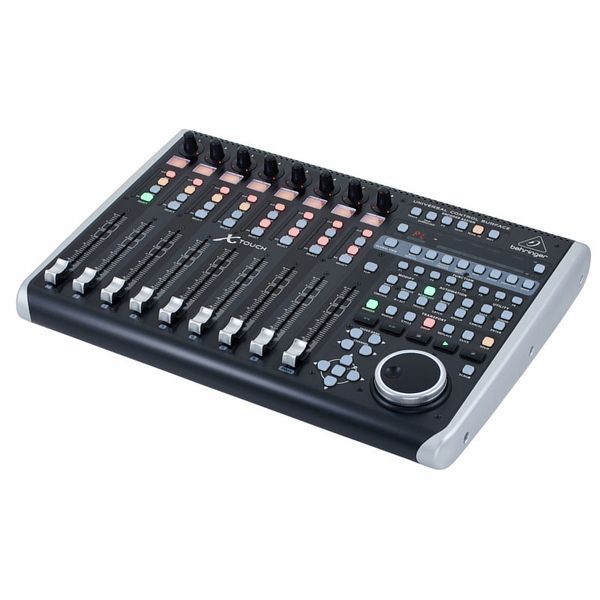
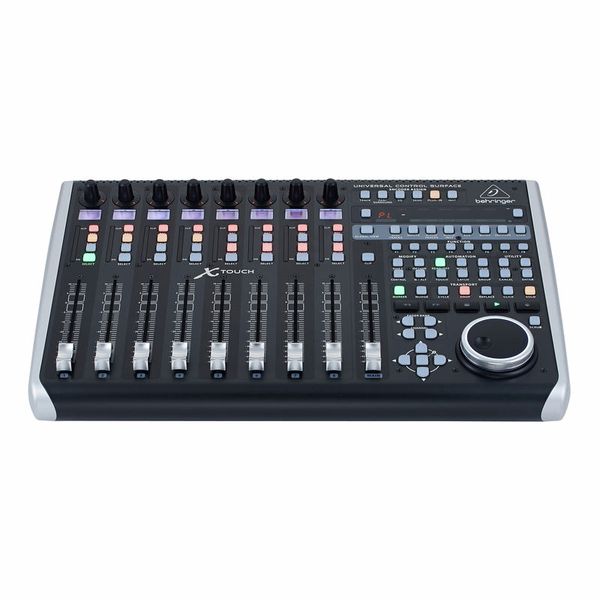
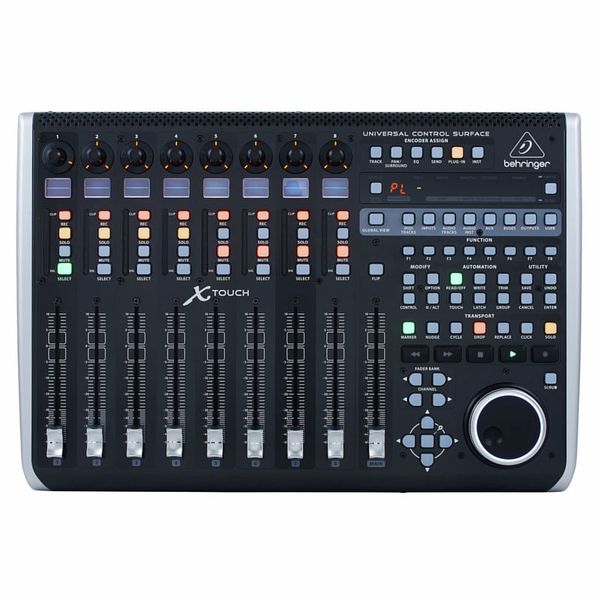
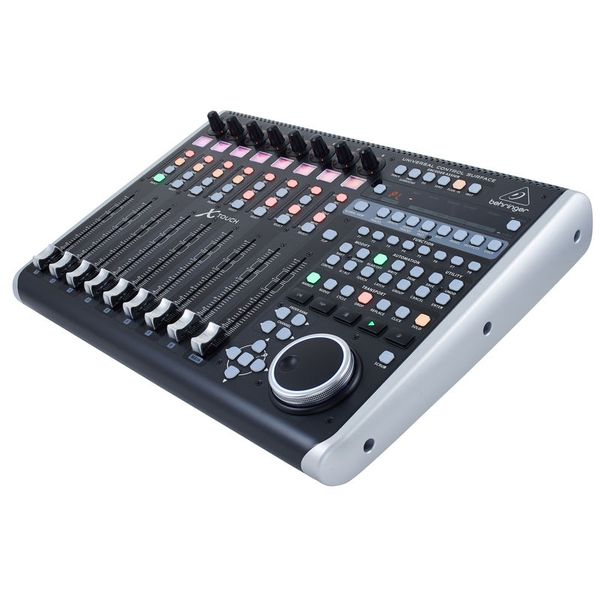
Uniwersalny pilot zdalnego sterowania DAW

  • Obsługa protokołów HUI i Mackie Control Protocol
  • Odpowiedni do zastosowań studyjnych i na żywo
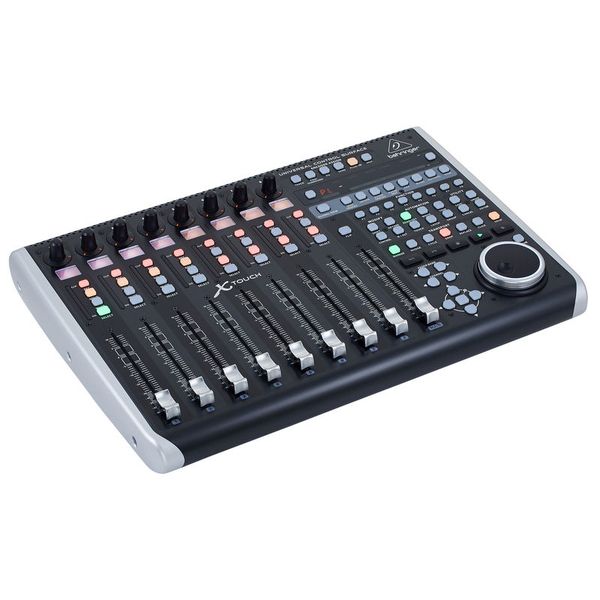
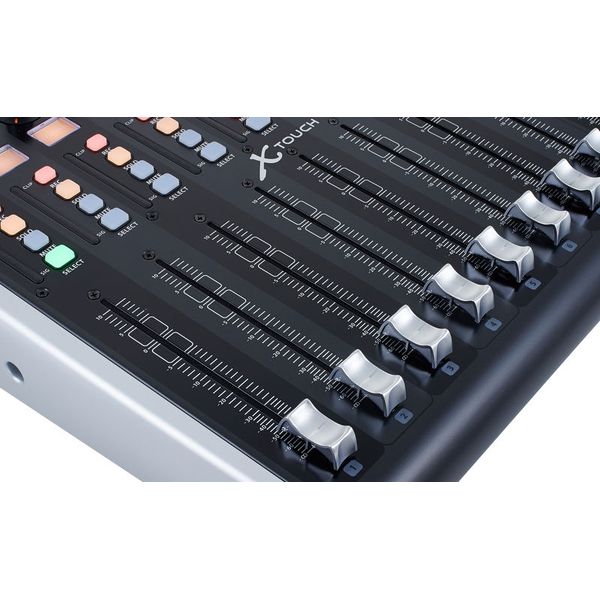
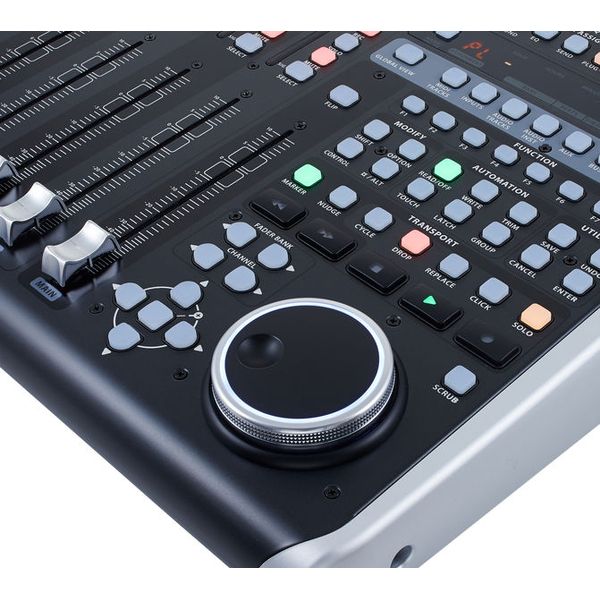
  • 9 wrażliwych na dotyk zmotoryzowanych suwaków 100 mm
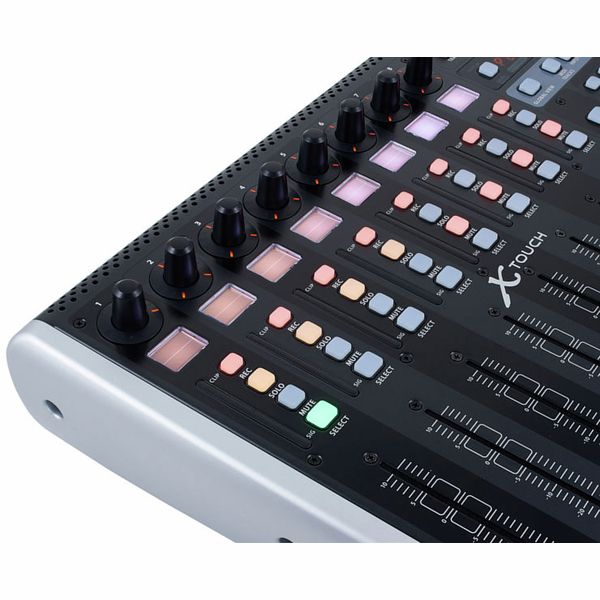
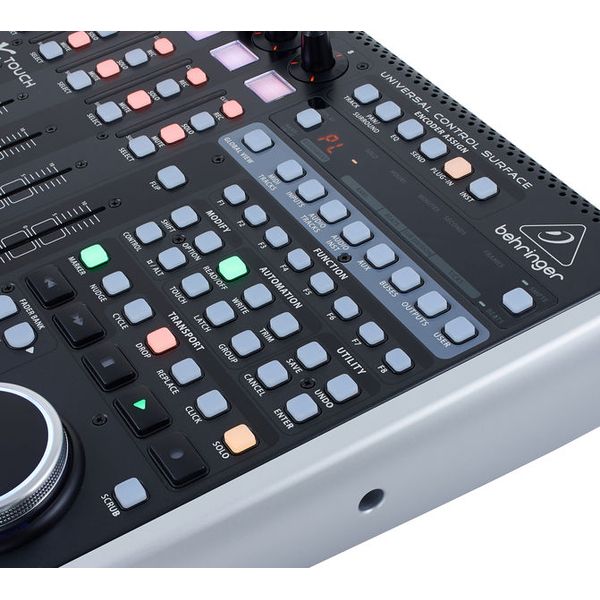
  • 8 wyświetlaczy LCD do oznaczania kanałów i innych parametrów
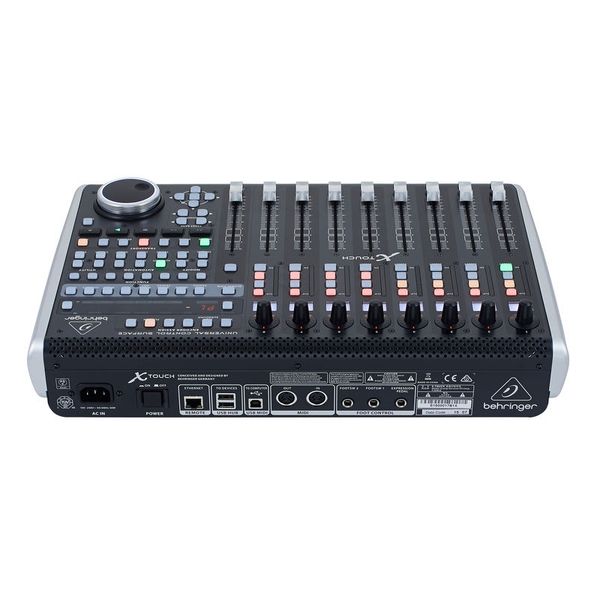
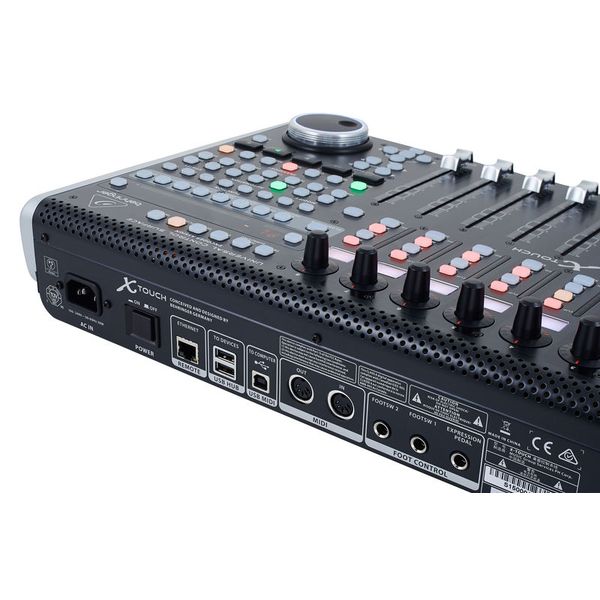
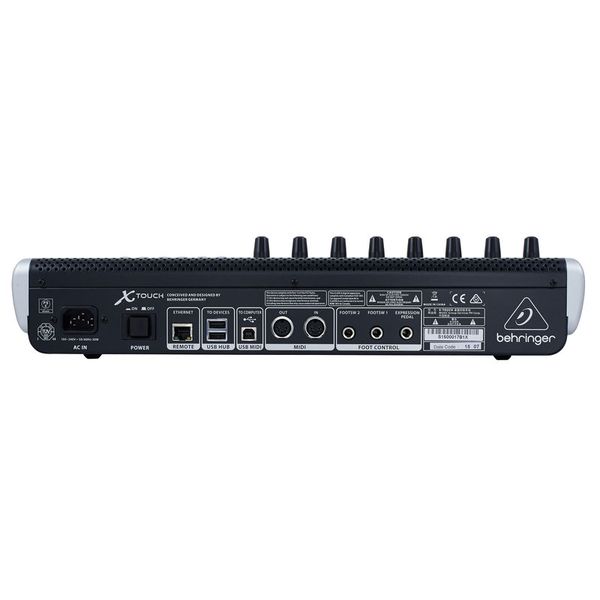
  • Interfejs Ethernet dla protokołu RTP (Real-Time Protocol) MIDI i BEHRINGER X32 Remote Control
  • 8 przypisywalnych potencjometrów obrotowych
  • 92 przyciski bezpośredniego dostępu
  • Wbudowany interfejs 2x2 USB/MIDI do bezpośredniego połączenia z komputerem Mac lub PC
  • 2 złącza do przełącznika nożnego
  • Wymiary (wy. x sz. x gł.): 100 x 452 x 301 mm
  • Waga: 4,3 kg
  • Odpowiednia torba: art. 479532 (nie jest częścią oferty)
  • Pasujący futerał: art. 330507 (nie jest częścią oferty)
  • Produkt dostępny od Sierpień 2015
  • Numer artykułu 368658
  • Jednostka sprzedaży 1 szt.
  • USB Yes
  • Bluetooth No
  • 5-pole DIN MIDI Yes
  • Ethernet Yes
  • Fader 9
  • Rotary Encoders 8
  • Audio I/O No
  • Transport Function Yes
  • Footswitch connection Yes
  • Foot Controller Connection Yes
  • Bus-Powered No
  • Jog Yes
  • Joystick No
1 322 zł
Ceny z podatkiem VAT
Dostępny za 7-9 tygodnie
1
91
Odwiedzający
przyglądają się temu produktowi
77
Ranking sprzedaży
w Kontrolery DAW

442 Oceny klientów

4.5 / 5

obsługa

właściwości

wykończenie

294 Opinie

W
Great quality at great price
Wallygator 19.04.2022
I was quite tired controlling DAW with mouse or Boss BR-800 when practicing or recording so I was started to search for "true" solution. One of my friends is using X-Touch Compact and advised me for Behringer as out of box solution. So I made a decision.

Once it arrived I connected USB to my Mac, quickly configured my DAW (very easy) and started testing. All functions are working by default, there is also possibility to use some software to remap X-Touch, but I did not found it useful for me. Faders are great responsible (that was one of the main point), small screens are extremely useful the layout is intuitive. I am very happy with it. As device has MIDI interface there is possibility to control other devices I just roughly tested with great results.

My band have Behringer X32 rack for IEM and small venue mixing, X-Touch is very useful as a full compatible hardware mixing surface.

The device is nice built and seems to be robust enough to be not just a home studio piece of gear.

As I am not a professional user of recording equipment I was looking for reasonable price solution and in my opinion that is the absolutely best what you can get with low budget.
wykończenie
właściwości
obsługa
0
0
Zgłoś nadużycie

Zgłoś nadużycie

J
Dobry sprzęt w ramach cenowego kompromisu
JafR 24.08.2024
Nie kupiłbym Mackie, skoro Uli wypuścił x-touch. Ma swoje wady, ale jest na prawdę przyzwoicie
wykończenie
właściwości
obsługa
0
0
Zgłoś nadużycie

Zgłoś nadużycie

S
Cubase 12 pro
Sebol 17.02.2026
Installed and used with Cubase 12 pro. My work comfort increased immediately. Great stuff.
wykończenie
właściwości
obsługa
0
0
Zgłoś nadużycie

Zgłoś nadużycie

google translate gb
Wystąpił błąd. Proszę spróbować później.
Z
Quickly became an indispensable tool for me
Zwavelbron 07.06.2019
My use case for the X-Touch is as a DAW controller for Cubase in a home studio. I use it for transport control, setting markers, volume and panning, and other DAW control (e.g. arming tracks, metronome toggle (custom shortcut), monitor toggle (custom shortcut))

I don't use the faders and knobs for plugin control etc., I use my master keyboard for those since that allows me to change the CC numbers more easily.

The positive:
- Since I started using this in Cubase, I can't work well without it anymore. It speeds up my mixing workflow so much compared to just using mouse+keyboard. It's also much easier to control the recording process with the X-Touch when I'm playing guitar or keyboard. Need to record DI + wet signal to separate tracks? Just press both 'rec/arm' buttons on the X-Touch at the same time.
- Build quality feels very solid, faders feel sturdy.
- Reliable, no issues in operation yet after 4 months of intensive use.
- The touch sensitive faders are useful for automatically selecting channels, no need to press a button first. However, that option does exist as well, if you want to select a channel without touching the fader and risking a volume change. It's great to have both options!
- Great integration with Cubase, the customizable shortcuts open up a world of possibility.
- Has 2 pass-through USB ports, which I use to connect some other music-related gear, allowing me to turn all of it on/off with a single switch - the X-Touch power button.
- Uses a standard power cord which is therefore easily replaceable.
- Motorized faders just look awesome in general.
- Much cheaper than an actual Mackie yet I don't really see a reason why that would be better. In fact, I prefer the X-Touch' separate track displays to the Mackie's combined track display. The X-Touch also shows the volume per channel during playback with a typical volume 'bar', which looks great in the total channel overview, while the Mackie just shows it using a single LED.

The negative (X-Touch specific):
- The track displays are not readable under an angle, but I solved that by tilting the whole X-Touch, which somehow feels more natural to control that way for me as well.
- Toggling between parameter names and parameter values in the track displays is a non-sticky option. I prefer to see the values, but the default is to show the parameter name. Every time I switch fader banks (or restart the device), I have to re-set that option if I want to see values instead.

The negative (Mackie-protocol limitations):
- The track display hardware supports different colors for the backlights, which would be an awesome feature to even more quickly correlate the channels to the ones in my DAW. However, this does not work with a DAW due to limitations in the Mackie protocol. This is NOT actually a limitation in the X-Touch itself; the much more expensive Mackie controllers have the same limitation. It only works over ethernet when connected to a Behringer X32 (have not been in a position to try that, so I cannot verify it)
- Buttons can have different functions in different DAWs and applications, so you may have to find and print a template to put on it for easier use. The standard names don't map well to Cubase, which I'm using.
- Faders sometimes do not appear to go very smoothly. This is not a hardware issue, but it is because some DAWs send Mackie updates with a relatively low frequency (so instead of a 'diagonal line' when increasing volume, the controller receives a 'staircase' from the DAW). Luckily there is a free tool floating around online that can intercept and interpolate these updates, which improves smoothness.

Useful note:
- The protocol is MIDI-based, which makes it universally compatible with many things. However, if you only plan to use the faders and knobs for volume/panning, like me, you may want to disable this device in your DAW's regular MIDI inputs to prevent unintentional changes to your virtual instruments when pushing buttons and moving faders/knobs :)
wykończenie
właściwości
obsługa
34
1
Zgłoś nadużycie

Zgłoś nadużycie