Do treści strony
Obejmuje 3 miesiące pełnego dostępu do ArtMaster.com

Obejmuje 3 miesiące pełnego dostępu do ArtMaster.com – internetowej platformy do nauki muzyki, produkcji muzycznej, pisania piosenek i tworzenia muzyki w stylu TikTok.

Kupując ten produkt studyjny, otrzymujesz bezpłatny 3-miesięczny kupon o wartości 59 EUR, ważny od 2 grudnia 25 r. do 28 lutego 26 r., który zapewnia pełny dostęp do wysokiej jakości kursów online poświęconych nowoczesnym technikom produkcji, tworzeniu beatów, edycji wokalu, kreatywnym procesom pracy i projektowaniu dźwięku gotowego do wykorzystania w treściach.

ArtMaster.com – Twój partner w zakresie e-learningu, stworzony we współpracy z profesjonalistami z branży, takimi jak Sam Pounds (Chris Brown, Dr. Dre), Printz Board (Black Eyed Peas, Justin Timberlake) i Chris Kasych (Adele, Beck, Pharrell Williams). Skorzystaj z ponad 500 lekcji wideo przeznaczonych dla producentów, twórców i autorów piosenek – obejmujących produkcję DAW, podstawy miksowania, aranżację, hooki dla TikTok oraz niezbędne umiejętności przekształcania pomysłów w gotowe do wydania utwory.

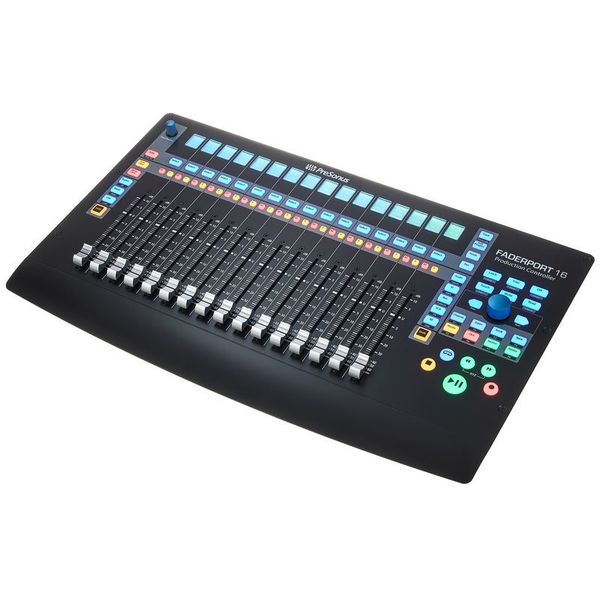
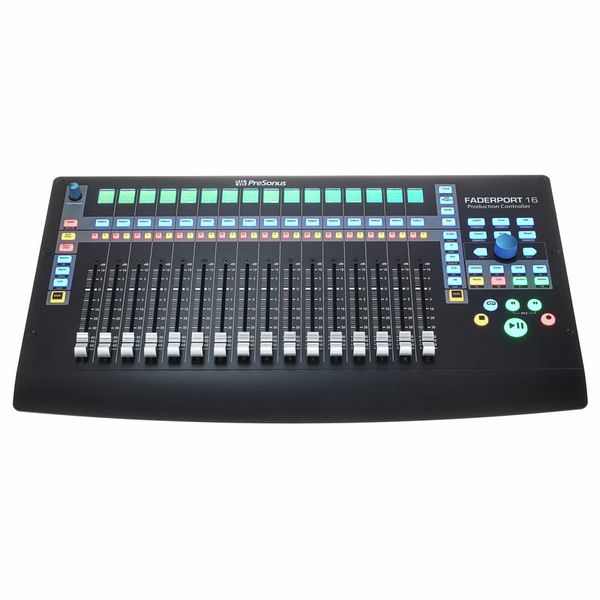
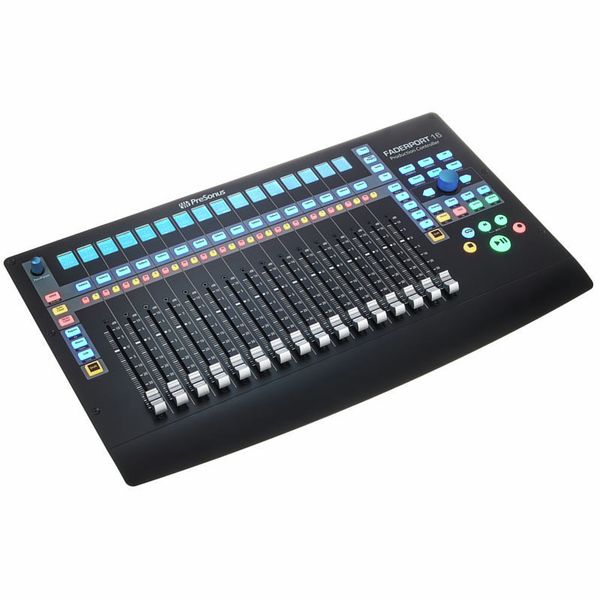
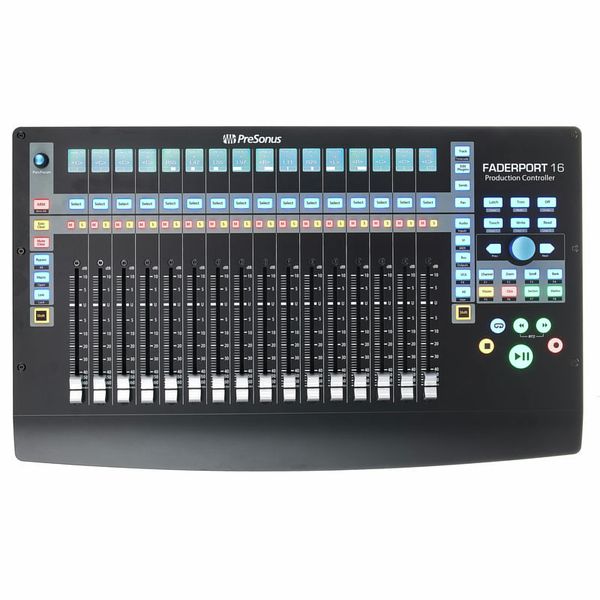
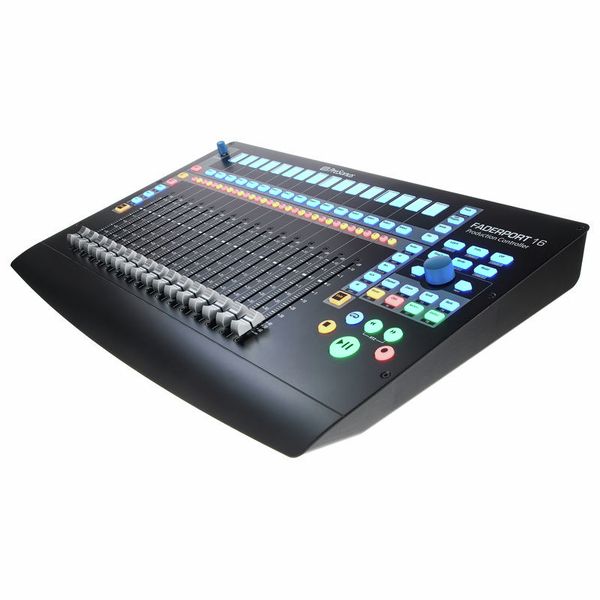
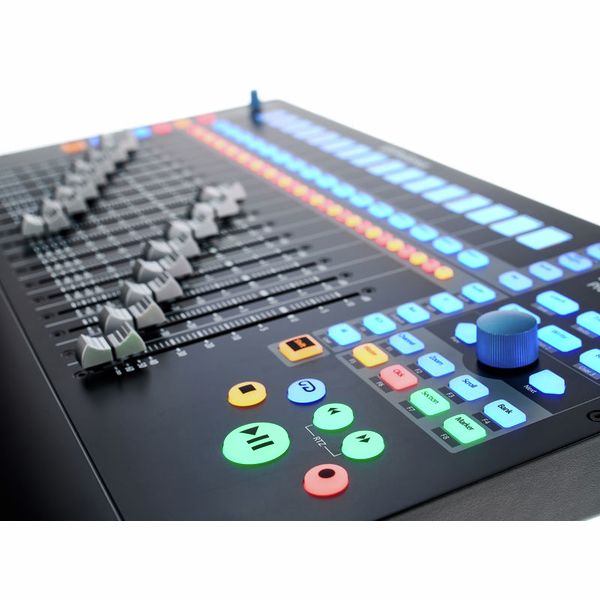
16-kanałowy kontroler produkcyjny DAW

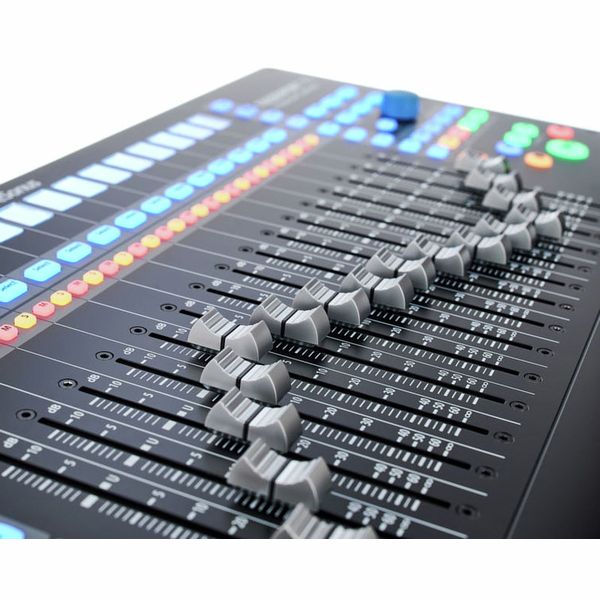
  • 16 profesjonalnych, czułych na dotyk zmotoryzowanych suwaków 100 mm (Dual-Servo Drive Belt)
  • Wysoka rozdzielczość suwaków: 10 bitów/1024 kroki
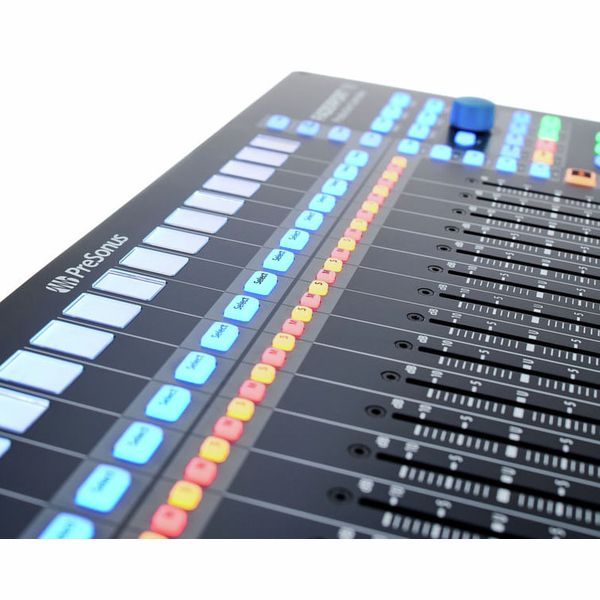
  • 85 podświetlanych przycisków tła i statusu
  • 104 sterowalne funkcje
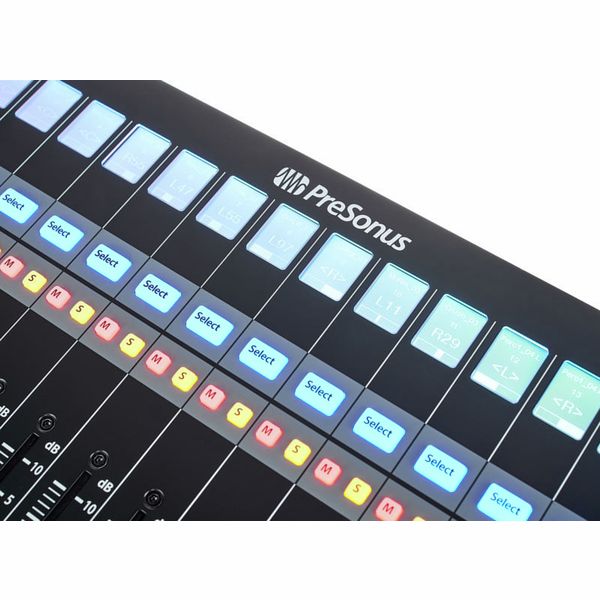
  • 16 wyświetlaczy LC o wysokiej rozdzielczości jako cyfrowe pola opisu
  • Wyświetlacz kodu czasowego i poziomu
  • Mały enkoder jako pokrętło panoramy i dla innych wybranych parametrów
  • Duże pokrętło danych z przyciskiem do przewijania, zoomowania, nawigacji itp.
  • 2 przyciski strzałek do nawigacji krokowej i ustawiania
  • Sterowanie transportem, sterowanie ścieżkami, sterowanie automatyką
  • Nawigator sesji, tryby suwaków, widok miksera
  • Funkcje cofania/ponawiania, click track wł./wył., tap tempo, ustawianie markerów, parametry wtyczek i wiele więcej
  • 4 przyciski użytkownika z możliwością programowania
  • 8 przycisków funkcyjnych
  • Natywna obsługa Studio One, możliwość wyboru protokołów HUI i Mackie Control
  • Kompatybilność z ProTools, Logic, Cubase, Ableton, Nuendo, Bitwig, Reaper, Digital Performer i innymi
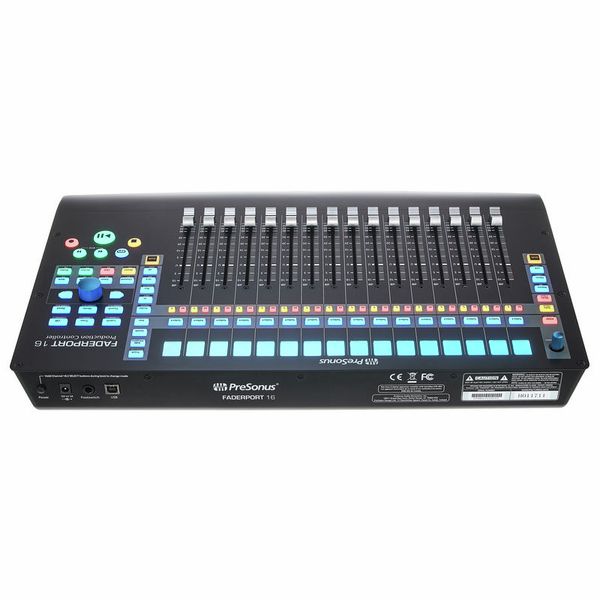
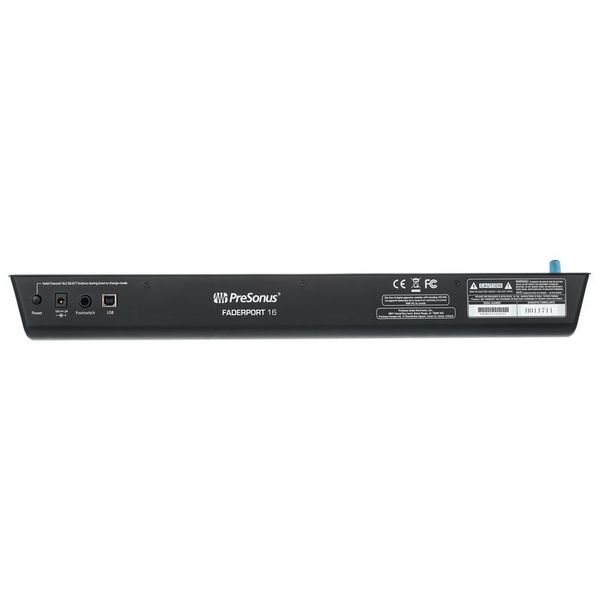
  • Gniazdo wtyczki jack dla opcjonalnego przełącznika nożnego (komendy start/stop)
  • Brak konieczności instalacji sterowników
  • Zasilanie: zewnętrzny zasilacz sieciowy (12 VDC/2 A)
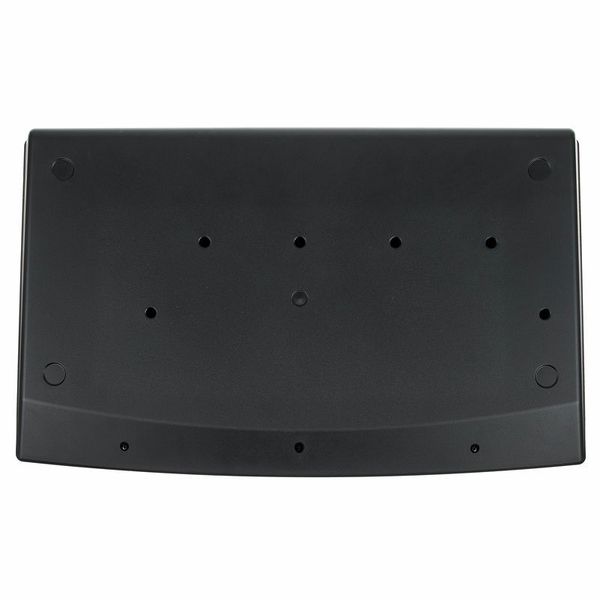
  • Wymiary (sz. x gł. x wy.): ok. 498 x 302 x 53,6 mm
  • Waga: 3,63 kg
  • W zestawie Presonus Studio One Pro (do pobrania)
  • Pasujący pokrowiec ochronny: art. 516108 (nie jest częścią oferty)

Wymagania systemowe:

  • Mac: OS X 10.8.5 lub nowszy
  • Procesor Intel Core 2 Duo (zalecany Intel Core i3 lub szybszy)
  • Windows 7 x64/x86 SP1 + aktualizacja platformy
  • Windows 8.1 x64/x86
  • Windows 10 x64/x86
  • Procesor Intel Core 2 Duo (zalecany Intel Core i3 lub szybszy)
  • Produkt dostępny od Styczeń 2018
  • Numer artykułu 424629
  • Jednostka sprzedaży 1 szt.
  • USB Yes
  • Bluetooth No
  • 5-pole DIN MIDI No
  • Ethernet No
  • Fader 16
  • Rotary Encoders 2
  • Audio I/O No
  • Transport Function Yes
  • Footswitch connection Yes
  • Foot Controller Connection No
  • Bus-Powered No
  • Jog Yes
  • Joystick No
  • Additional Features LCD Display per Channel
3 699 zł
Ceny z podatkiem VAT
Dostępny w magazynie
1

71 Oceny klientów

4.6 / 5

obsługa

właściwości

wykończenie

47 Opinie

google translate gb
Wystąpił błąd. Proszę spróbować później.
b
Glitchy scribble strip, but otherwise great
bmullen87 22.10.2019
I primarily bought this controller to use specifically with Studio One, which is the main DAW I use for working with audio. As such my expectations were a very tight knit integration with the DAW. By and large I've been very happy with this, and while I'd love there to be a solution to make more tactile use of plugins on channels etc the technology hasn't really advanced that much yet. Nonetheless using this for Studio One is great and a far better experience than click with a mouse or using keyboard exclusively. I do still use both in conjunction with the controller, but each interface to its own strength.

Pros - 16 faders makes mixing a breeze. There's a nice long throw on the faders and although they can be a little jittery at times when playing back automation I've found them very smooth to the touch. I also make a lot of use out of the transport controls, in particular the one big click encoder. The controller itself is nice and lightweight and doesn't take up a huge amount of space.

Cons
The scribble strip is glitchy. By this I mean I'll often turn the controller on and the first four items will simply display blank instead of informing me what's on those channels. This is usually solved by switching the controller off and back on - but this really seems to me like something that just wasn't tested and fixed before manufacturing. It seems like many other users have the same problem. This is why I have deducted points from quality. Also the positioning of these above the faders, and the use of quite small screens on them make them difficult to make out. Maybe it's me coming from old school world, but I'd instinctively have my scribble strip below the faders if they were the old "write on them yourself" kind, and that's where I'd expect to see them. Some people will complain about there only being one pan knob. This doesn't bother me, but.... it might be a consideration for other people.

Overall though I very much enjoy the experience of using the faderport - minor niggles aside!
wykończenie
właściwości
obsługa
10
1
Zgłoś nadużycie

Zgłoś nadużycie

google translate gb
Wystąpił błąd. Proszę spróbować później.
V
High quality controller, could use some kind of kickstand option
Vanjanja 18.12.2019
Very impressed with it. I use it with Studio One, and the integration is flawless, it really speeds up the workflow. The faders feel nice, they are responsive and fast, and it really feels like a real analog mixer. Lots of features, basically covers everything you may need out of a DAW controller. However, the angle it lays on the desk is basically totally flat, so, if it's not right in front of you, you may have difficulty viewing the small scribble screens. It would be great if it had some kind of kickstand legs at the end just so you can adjust the angle if needed. I'm going to try my luck with a laptop stand, but for now, I just have a rolled up towel at the other end, so it's raised up a little.
wykończenie
właściwości
obsługa
9
0
Zgłoś nadużycie

Zgłoś nadużycie

google translate gb
Wystąpił błąd. Proszę spróbować później.
c
Problems with the encoder
chronomic 13.03.2020
When adjusting the blue encoder in the clockwise, in some cases it makes ghost "clicks" (I twist it in two steps — it makes three and after go back on one step. It seems to be minor problem, but annoying so much. In case you'll transport in the mixer section to the last channel and this "bug" appears the cursor goes back to previous to the last channel despite it has not to be there. So, it's not only annoying but doesn't work the way it should.
The second problem is "absence" of adequate fader calibrating. Even after doing it, the accurate is among 0.2-0.4dB.
Anyway, it`s so good and pleasant controller for me, as a Studio One user.

Everything related to the service was excellent — fast,
with high quality and without extra questions as it happens.

Pros:
+ good materials and design, it is pleasant to touch
+ best functionality for this price
+ really improves the workspace, mainly with the Studio One

Cons:
- glitchy encoder (big blue knob)
- rarely bugs with the scribble strip and some fader modes.
wykończenie
właściwości
obsługa
3
0
Zgłoś nadużycie

Zgłoś nadużycie

google translate gb
Wystąpił błąd. Proszę spróbować później.
LC
A bit of a dissapointment
Lord Cabot 20.08.2022
I am an Ableton Live user and I wanted a controller with motorized faders.
Though kind of supported, when all is said and done - it's superficial at best.

My biggest three complains:
1) There is no metering on the channels, rendering the unit almost useless since you can't tell what channel is outputting, but, rather you need to read the ancient, low quality, monochrome LCD display that has terrible view angle to make sure you loose any possible emersion and break your flow.
Technically there is a way to enable metering on these small LCD's but get this - it's different then the Live's. It's some kind of average that looks unnatural and frankly I hate it.
2) It doesn't understand drum racks. I love Live's drum racks and use them all the time. In Live you can expand them and use faders, but Faderport is clueless and you'd need to make a new channel for each element instead.
This means I'm not using the unit at the start of my projects and then I just forget it exists. Really bad, would be a huge improvement.
3) After replacing the unit with something else I thought ok, maybe I can use it for something else, like the inputs on my RME UFX+ or something.
After opening a ticket Presonus has made it clear that it's "only a DAW controller". And not a very good one at that.

Some good sides would be the faders - they are big and feel nice. But it feels as an incomplete solution.

I am sorry to say but I regret buying this unit, at least as an Ableton user. Maybe it's amazing for some other DAW's but I'd advise Ableton users to pass on this.
wykończenie
właściwości
obsługa
7
2
Zgłoś nadużycie

Zgłoś nadużycie