

Do treści strony

Mooer GE150 Max Amp Modeling

4.4 na 5 gwiazdek z 5 ocen klientów ()

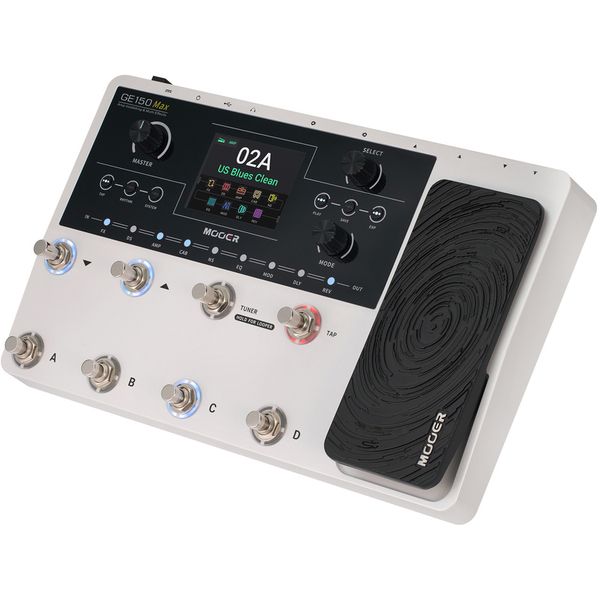
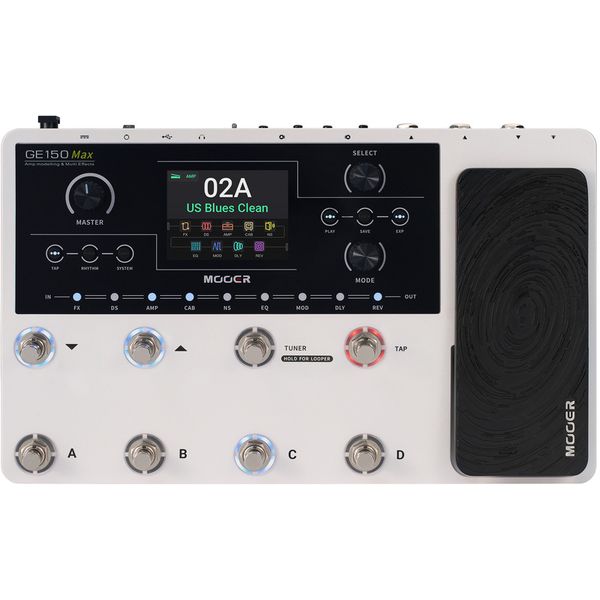
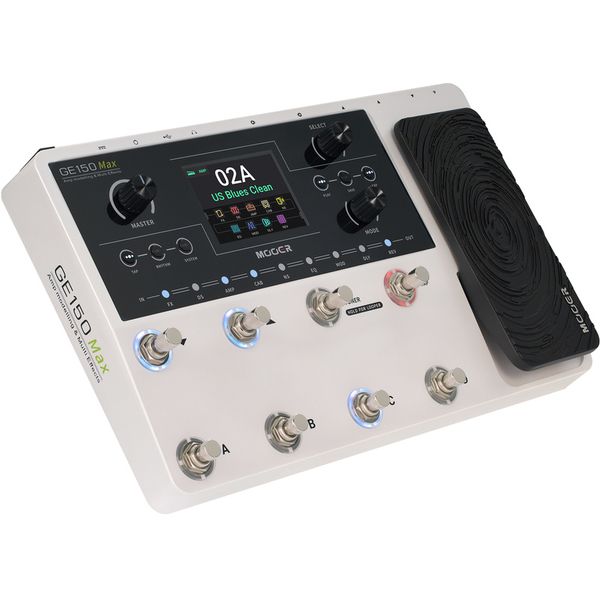
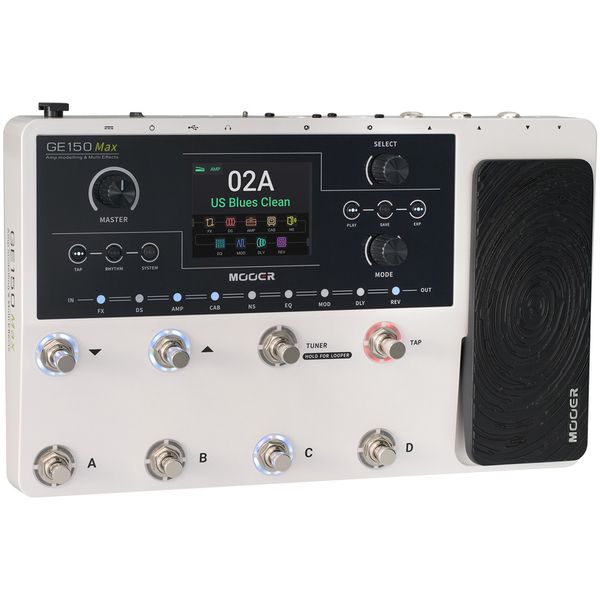
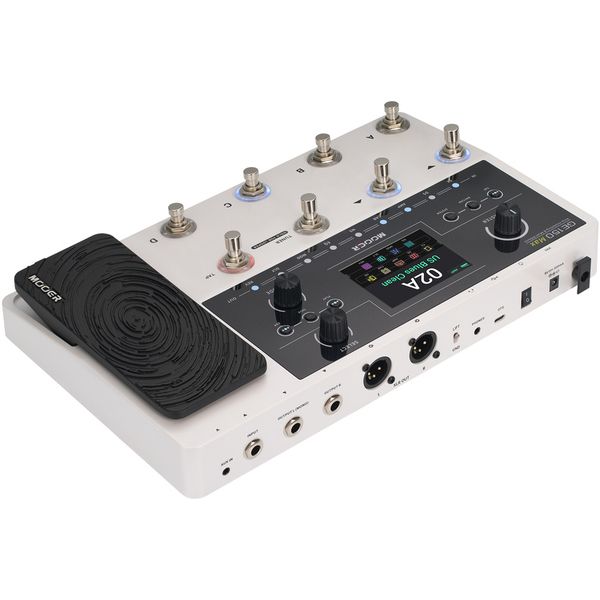
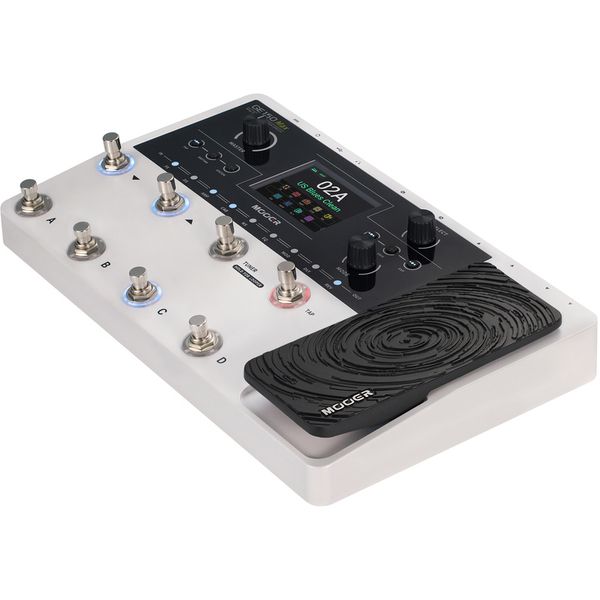
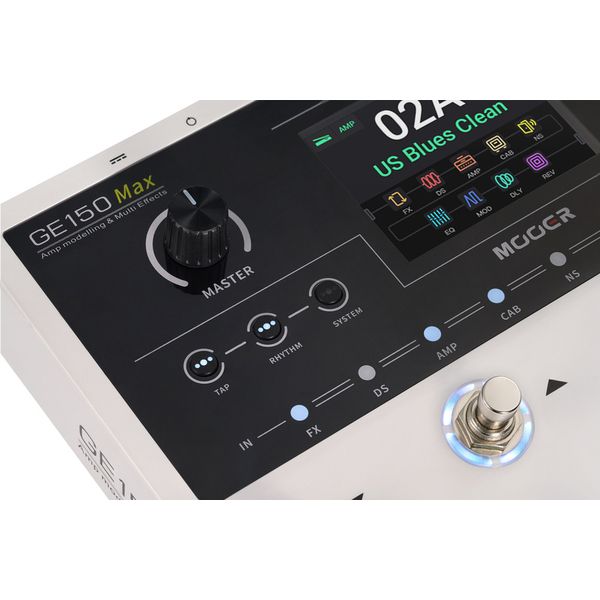
Multiefektowa kostka do gitary elektrycznej

  • 55 modeli wzmacniaczy
  • 170 modeli efektów
  • Automat perkusyjny z 40 rytmami perkusyjnymi i 10 rodzajami metronomu
  • Looper fraz z czasem nagrywania 80 sekund
  • Funkcja overdubbingu i niezależna regulacja głośności
  • Do 200 możliwych do zapisania presetów
  • Presety mogą być wymieniane między wszystkimi wariantami GE150
  • Złącze USB-C do nagrywania i odtwarzania materiału audio przez OTG oraz połączenia z oprogramowaniem zarządzającym
  • Ekran dotykowy 3,5"
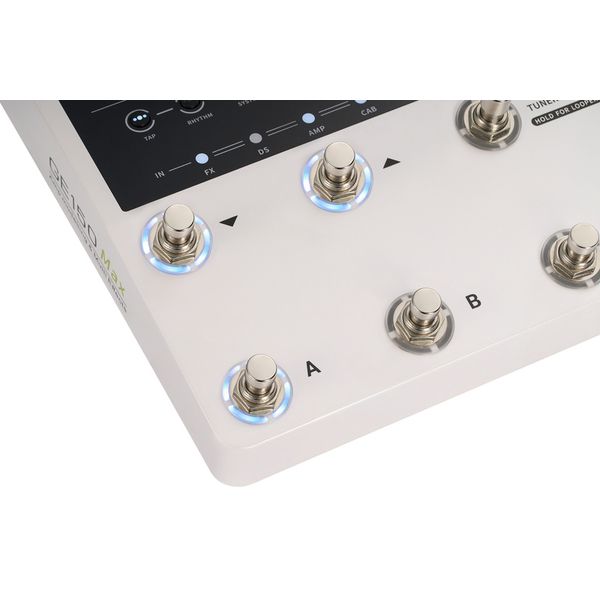
  • 8 wielofunkcyjnych przełączników nożnych
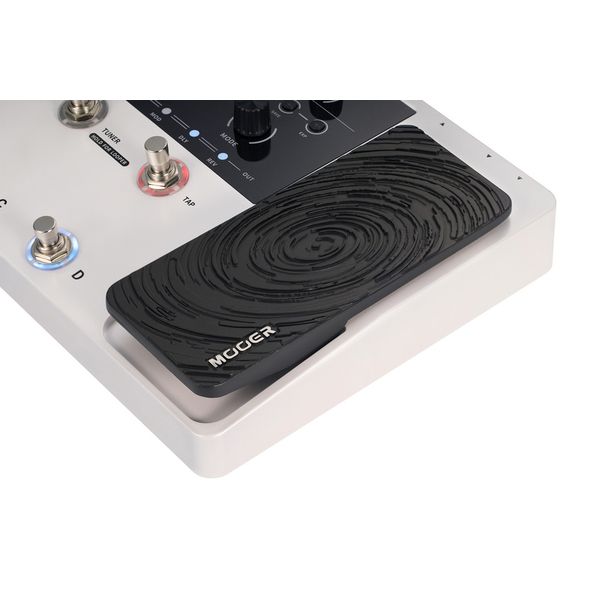
  • Zintegrowany pedał głośności/ekspresji
  • Pokrętła: Master, Select, Mode
  • Przyciski: Tap, Rhythm, System, Play, Save, EXP
  • Podświetlane przyciski bloków efektów
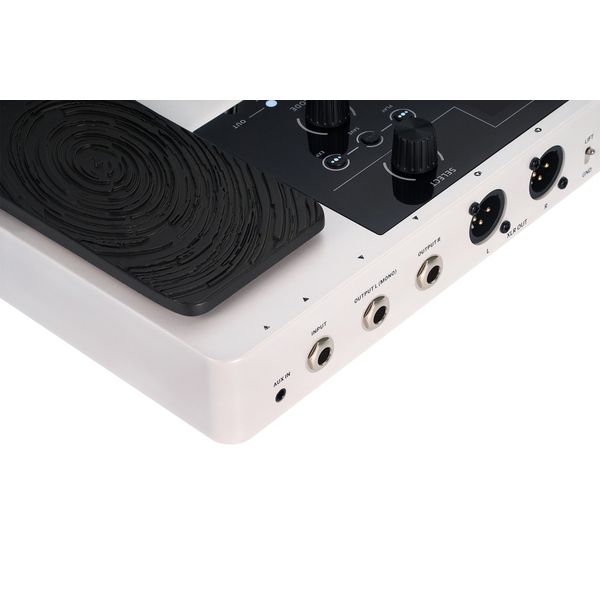
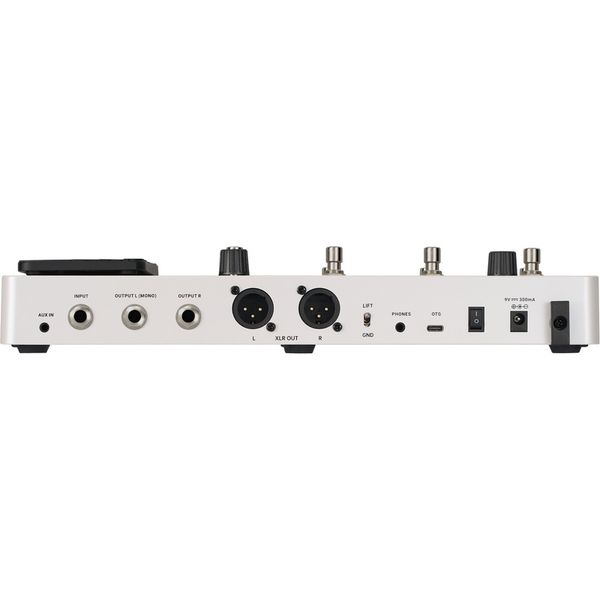
  • Gniazdo 6,3 mm mono
  • 2 x wyjście mono 6,3 mm (L/R)
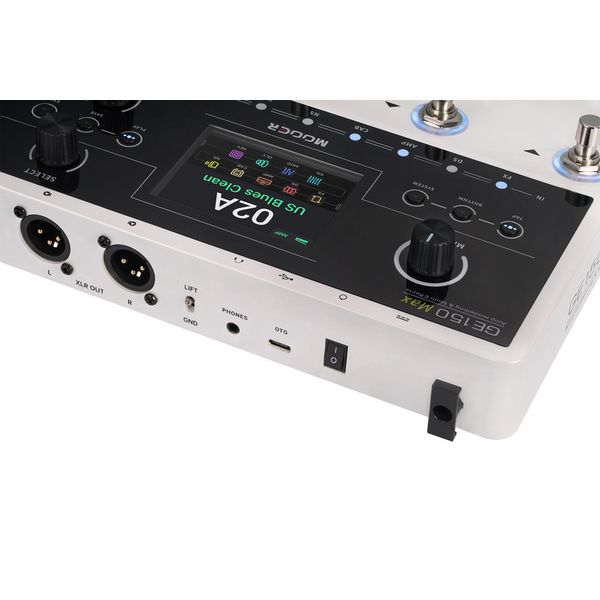
  • 2 x symetryczne wyjście XLR (L/R)
  • Przełącznik GND/LIFT dla wyjść XLR
  • Wejście AUX stereo 3,5 mm (gniazdo)
  • Wyjście słuchawkowe stereo 3,5 mm
  • Złącze USB typu C
  • Zasilanie za pomocą dołączonego zasilacza 9 V DC, wtyk okrągły 2,1 x 5,5 mm, biegun ujemny wewnątrz
  • Pobór mocy: 300 mA
  • Wymiary (dł. x sz. x wy.): 326 x 204 x 63 mm
  • Waga: 1,63 kg
  • W zestawie kabel USB, zasilacz sieciowy oraz specjalne oprogramowanie komputerowe do edycji i aplikacja mobilna do zarządzania presetami oraz plikami próbkowymi do pobrania
  • Obsługuje pobieranie danych MNRS oraz plików symulacji wzmacniaczy i kolumn firm trzecich

Wskazówka: zasilanie bateriami nie jest możliwe

Informacja Zarejestruj swój produkt na shop.warwick.de/en/warranty-registration i przedłuż gwarancję na 4 lata.
  • Produkt dostępny od Październik 2025
  • Numer artykułu 625554
  • Jednostka sprzedaży 1 szt.
  • Design Floorboard
  • Amp Modeling Yes
  • Drumcomputer Yes
  • Incl. Tuner Yes
  • Expression Pedal Yes
  • USB-Port Yes
  • Headphone Output Yes
  • MIDI Interface No
  • Line Out Yes
  • Battery Operation No
  • PSU included Yes
888 zł
Ceny z podatkiem VAT
Dostępny w magazynie
1

5 Oceny klientów

4.4 / 5

obsługa

właściwości

dźwięk

wykończenie

3 Opinie

google translate gb
Wystąpił błąd. Proszę spróbować później.
b
Overall OK - Covers the basics
bepin 26.06.2026
Verdict:

This device feels like it covers the absolute basics of what you need. There's nothing exceptional and no way to really go beyond what the device already offers you. Don't expect to be able to easily add additional amp models and don't expect being able to use NAM files. It does not replace the need for a Wah pedal. Overall, I feel like I should have spent more money and gone for a different device.

The Good

Overall, the provided amount of options and the 4 preset switches allow for quite some flexibility away from your computer. The device is somewhat easy to use and should cover most of the basic use cases. It also works fine on Linux if you are looking to use it as an audio interface.

The Bad:

The Manual/UX: This device does not come with a manual. It's not easy to find through search engines and even when finally finding the PDF, it's very superficial. Many things are not explained and not obvious (Wah setup, uploading additional amp models). You need to really sit down for multiple hours and figure out how this device works, it's not plug and play.

Charging Cable: No type C usb cable makes this a pain to replace the charger.

Presets: There are 200 presets that can be cycled through with 2 buttons: they move a 4 preset window which requires a second selection with the A-D buttons on the bottom row, meaning that whatever you are going to play on stage will need to fit into those 4 buttons. There is no way to move these presets on the device! You need the software for that. Most of the presets lack a Noisegate and fine tuning, meaning you will need to dig into it before you can use it seriously. Think of them more as an example of how to set up your own presets.

Wah Pedal: Very, very confusing to set up. Existing Wah effects don't sound great. Using the Wah pedal locks you out of other effects. The foot switch to activate it is especially painful since it requires way to much pressure initially to turn it on (calibrate that first!).

Tap button: the upper right button is used to set the tempo by stepping on it which is very imprecise and constantly blinks in the selected tempo. There's no way to turn it off.

Software: Out of the box, this device works just fine as an audio interface on Linux, but the software doesn't, but that does not really change much. The software itself basically does the same thing that the device does, except for the following:

* Uploading new amp models
* Downloading/Uploading your presets

Swapping presets is not possible without downloading the ones you want to switch onto your computer first, then deleting them and uploading both at the desired locations. Out of the box, there are no free slots.

There supposedly are additional amp models that you can download from their incredibly slow website, but I haven't really found more than a handful and they are locked behind a login only accessible to customers (requires serial number). They advertise NAM support but that is implemented through a conversion script to their own format which people do not like (lossy conversion). I couldn't verify that because it never really worked for me (failed with exceptions). If you manage to upload amps, you only have space for a couple more (around 20?)

If you buy this device hoping to have access to a wide array of sounds that aren't shipped on the device, don't bother.
obsługa
właściwości
dźwięk
wykończenie
0
0
Zgłoś nadużycie

Zgłoś nadużycie

google translate de
Wystąpił błąd. Proszę spróbować później.
L
Mooer GE 150 Max Amp Modeling
Lumluke 08.01.2026
Ein super Gerät, welches gerade für Einsteiger eine Riesenauswahl an Effekten, Amps, Sounds und Speicherbänken bietet. Nichtsdestotrotz ist alles übersichtlich geordnet und schnell zugänglich. Zu Beginn kann man auch einfach das Gerät anschließen und sich durch die vielen Presets spielen, die für sich genommen schon sehr gut klingen. Durch den intuitiven Aufbau erschließt man sich dann nach und nach die weiteren Einstellungsmöglichkeiten. Die voreingestellten Sounds klingen sehr gut und können leicht für alle Anwendungen angepasst werden. Über einen guten Amp oder eine gute Box gespielt, ist das Preis-Leistungsverhältnis unschlagbar. Wer Erfahrung mit dem kleineren Übeamp Mooer F15i hat, findet beim größeren Bruder das Äquivalent für Liveauftritte. Alles drin, was man braucht. Looper, Stimmgerät, Drummachine. Sehr variable Konnektivität: Computeranschluss, XLR-Ausgänge, Klinke Stereo und Mono, Kopfhörerbuchsen.

Kleine Abstriche bei Bedienung, Features und Verarbeitung dem sehr günstigen Preis geschuldet. Zum Beispiel ist das Expressionpedal in der Bedienung recht grob, ich habe noch keine Drumbegleitung für 3/4 oder 6/8 gefunden und die Knobs sind etwas geräuschvoll. Das alles tut dem Spielspaß aber keinen Abbruch.

Große Empfehlung für alle, die zu schmalem Preis eine All-In-One-Lösung suchen.
obsługa
właściwości
dźwięk
wykończenie
5
1
Zgłoś nadużycie

Zgłoś nadużycie

google translate de
Wystąpił błąd. Proszę spróbować później.
R7
Mooer GE150 Max
Resistant 71 04.05.2026
Habe etliche Jahre über einen Line 6 UX 1 und Zoom G2.1u gespielt, bzw. am PC aufgenommen. Allein die Tatsache, dass ich jetzt 4 Fußschalter habe und sie relativ schnell belegt und gespeichert werden können, ist schon sein Geld wert. Solide Verarbeitung, gutes Handling und die Sounds sind vollkommen ausreichend, zumindest was mich betrifft. Zumal man jeden vorhandenen AMP sich selbst einstellen kann wie man es möchte. Bleibt nur abzuwarten, wie es sich im Bandgefüge macht. Von mir klare 5 von 5
obsługa
właściwości
dźwięk
wykończenie
1
0
Zgłoś nadużycie

Zgłoś nadużycie